
Everyone has an opinion about AI tools.
Most of those opinions come from people who tested something twice and wrote about it. This isn’t that article.
I have managed content for 200+ web pages across multiple clients simultaneously. These are the tools I use in my actual daily workflow — what each one does well, where each one falls short, and how I combine them to produce better work faster without losing the human judgment that makes the work worth reading.
No sponsorships. No affiliate links. Just honest experience.
AI Research and Writing Tools
Claude — For Thinking, Drafting, and Refining
Claude is my primary AI writing tool and the one I reach for most consistently.
What makes it different from other AI assistants is the quality of reasoning behind the output. When I’m working through a content strategy for a client, developing an article angle, or trying to stress-test an argument before committing to it — Claude handles nuanced, multi-layered prompts better than anything else I’ve used.
How I actually use it:
- Developing content briefs and article outlines from scratch
- Stress-testing angles — I’ll describe an idea and ask Claude to argue against it before I commit
- Refining drafts — not rewriting, but identifying where an argument loses clarity or a section loses momentum
- Repurposing long-form content into social posts, email snippets, and summaries
Where it falls short: It doesn’t have real-time web access in standard use, so for current data, recent news, or live search trends, I combine it with Perplexity.
Perplexity — For Research and Current Intelligence
Perplexity is the tool that changed how I do research.
Before Perplexity, research meant opening fifteen browser tabs, cross-referencing sources, and spending an hour building context before writing a single word. Perplexity compresses that process significantly — it searches the web in real time, synthesizes information from multiple sources, and cites everything so I can verify what matters.
How I actually use it:
- Initial research on any topic before writing — building a factual foundation quickly
- Staying current on industry developments in healthcare, SEO, and content marketing
- Fact-checking claims before they go into a client’s content
- Finding credible statistics and data points with source references I can trace back
Where it falls short: It’s a research tool, not a writing tool. The prose it generates is functional but flat. I use it to gather and verify — then Claude or my own drafting takes over from there.
SEO Tools
Semrush — For Strategy and Competitive Intelligence
Semrush is where content strategy starts for most of my client work.
Before a single word is written, I’m in Semrush understanding what the competitive landscape looks like — what keywords the client’s competitors are ranking for, where the gaps are, what content is already performing in the space, and where the realistic opportunities exist given the client’s current domain authority.
How I actually use it:
- Keyword research and search volume analysis
- Competitor content gap analysis — finding topics they’re not covering that we can own
- Tracking content performance over time across multiple clients
- Building topical authority maps for long-term content strategies
Ahrefs — For Backlinks and Content Performance
Where Semrush gives me the strategic overview, Ahrefs gives me the depth on specific pages and backlink profiles.
How I actually use it:
- Analyzing which specific pages are driving traffic and why
- Understanding the backlink profile of top-ranking competitors
- Identifying content that has earned links naturally — a signal of genuine value worth studying
- Auditing existing content to find pages that need refreshing or consolidating
Screaming Frog — For Technical SEO Audits
Screaming Frog is not glamorous. It is indispensable.
When a client’s content isn’t performing despite being well-written and strategically sound, the problem is often technical — broken links, duplicate content, missing meta descriptions, crawl errors. Screaming Frog finds all of it fast.
How I actually use it:
- Full site crawls before starting any new client engagement
- Identifying technical issues that are suppressing otherwise good content
- Auditing internal linking structures to ensure content authority flows correctly
Yoast — For On-Page Optimization
Yoast lives inside WordPress and is the last checkpoint before anything publishes.
It’s not a strategy tool — it won’t tell you what to write or why. But it ensures that what you’ve written is technically optimized for the keyword it’s targeting. Readability scores, meta descriptions, focus keyword density, schema markup — Yoast handles all of it at the page level.
Writing and Productivity Tools
Grammarly — For Proofreading and Clarity
Grammarly is the final pass on everything before it leaves my hands.
I don’t use it as a writing tool — I use it as a proofreading layer. Typos, grammatical errors, passive voice, unclear sentences — Grammarly catches what tired eyes miss after hours of drafting and editing.
One important note: Grammarly’s suggestions are not always right. It doesn’t understand context, tone, or intentional stylistic choices. Use it as a flag, not a final authority.
Notion — For Content Management and Strategy
Notion is where all content strategy work lives before it becomes a published page.
Content calendars, client briefs, article outlines, keyword maps, campaign structures — everything is organized in Notion before it moves to production. For managing multiple clients simultaneously it’s the tool that prevents things from falling through the cracks.
Google Docs — For Writing and Collaboration
Every article, every web page, every piece of content I write starts in Google Docs.
Not because it’s the most sophisticated writing environment — it isn’t. Because it’s collaborative, accessible from anywhere, and integrates seamlessly with every client workflow I’ve ever encountered. Comments, tracked changes, version history — Google Docs handles the practical realities of professional content work better than any alternative I’ve tried.
How These Tools Work Together
The workflow looks like this in practice:
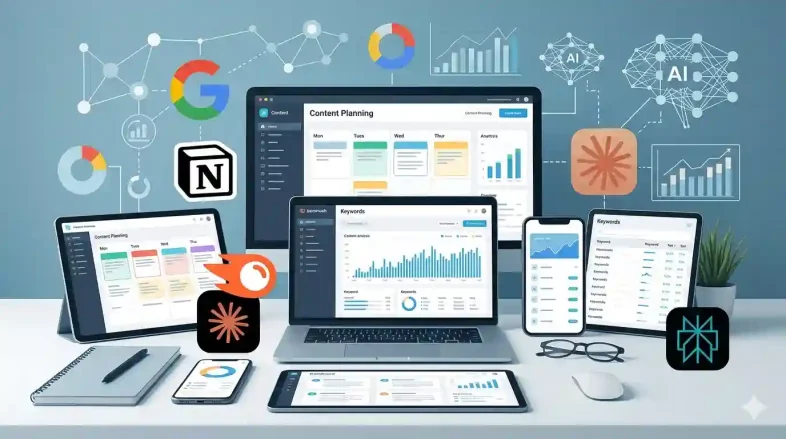
Semrush and Ahrefs identify the opportunity. Perplexity builds the research foundation. Claude develops the outline, stress-tests the angle, and refines the draft. Google Docs is where the writing happens. Grammarly catches what I miss. Yoast optimizes before publishing. Notion holds the entire strategy together. Screaming Frog audits the foundation everything sits on.
No single tool does everything. The value is in how they connect.
The Bottom Line
The right tools don’t make you a better writer or a better strategist. They remove friction from the work so your actual judgment — the part that can’t be automated — gets more space to operate.
Use tools that serve your process. Don’t build your process around tools.
And never mistake a polished AI output for a finished piece of content. The tool produces the draft. You produce the work.










https://shorturl.fm/VUpNC